O Thompson
-
Posts
58 -
Joined
-
Last visited
Everything posted by O Thompson
-
2 threads in 1 day... sorry... I have since upgraded to the latest FW and all is working well, with the exception on 1 "glitch" that i hadn't noticed in previous versions... I have a few simple chases programmed to individual MFFs. These are set to global bpm and a number of them have either cross fade or ramp up / down applied to them. I have then set the "play" button of the master play back to be a tap tempo for global bpm. With the latest firmware i have noticed that when global bmp is applied to the chase mff, the ramp up / down or cross fade options are ignored and the chase steps "snap". Is this a known glitch? or something that has always been present but I've overlooked? and is there a way to combat this? Olly
-
so in essence, id need to create "sub fixtures" by patching manually on the desk... For example i would patch ch1 as a "dimmer" for intensity and they patch a 3ch "LED" fixture for each sub fixture (2-13)? Hadnt thought of doing it this way. It may be faster to program than a single 14 ch fixture with encoder only control... Thanks for the input
-
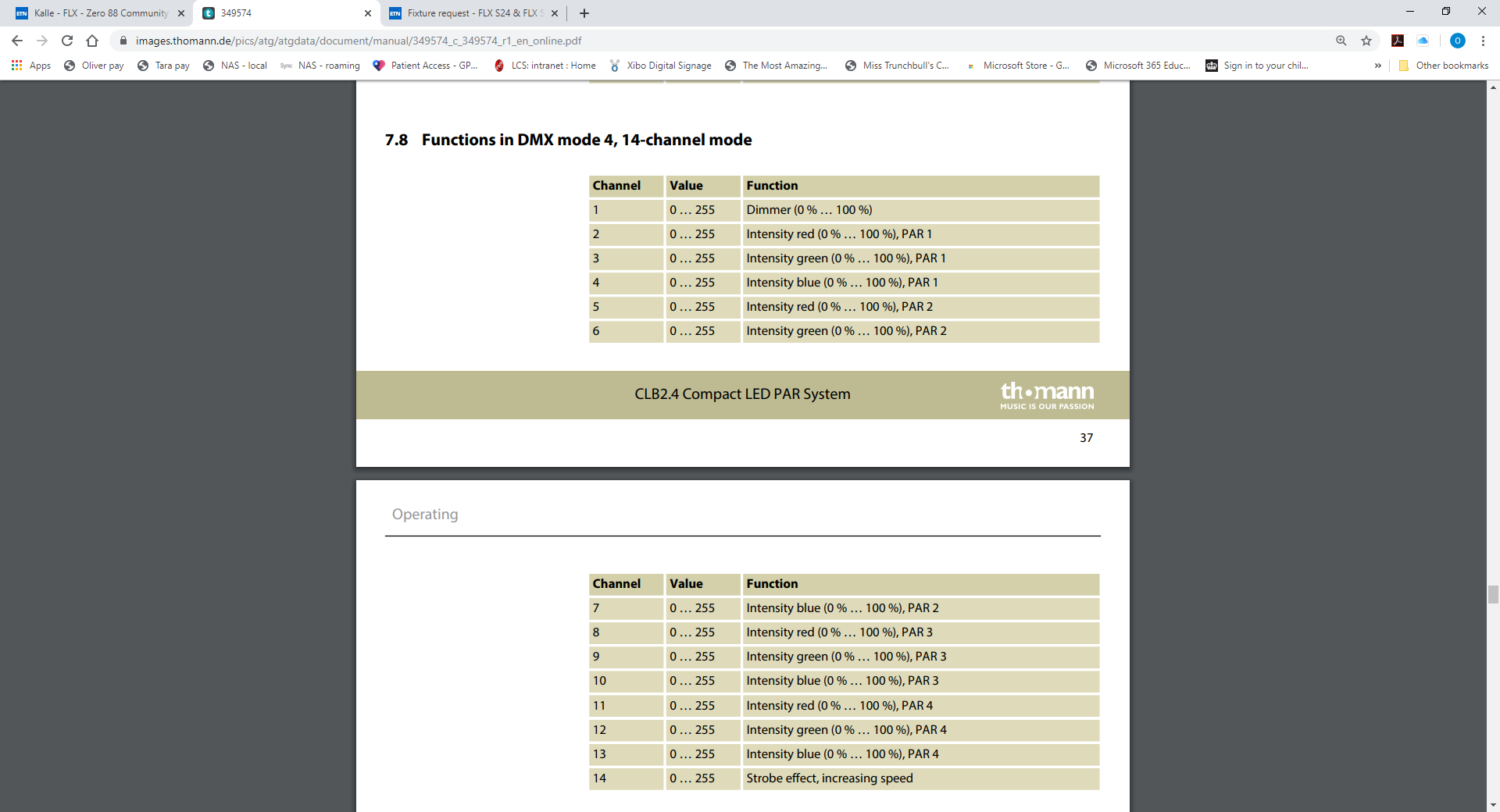
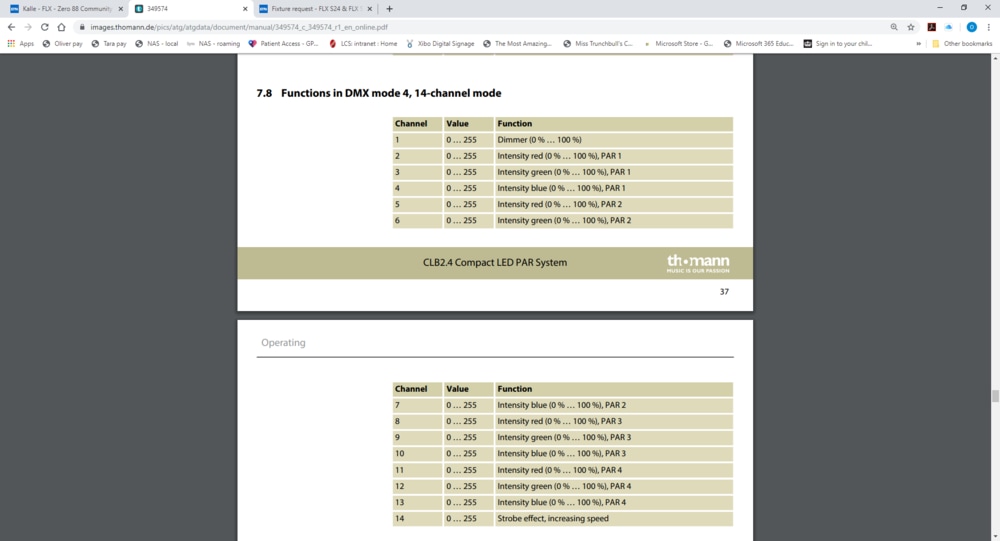
Hi folks, Im tying to use the fixture editor to create a profile for a 4 par LED bar. In this case, the fixture is a stairville 2.5 clb, which is essentially 4 pars in 1 fixture. I have the DMX table showing the parameter control for each DMX ch, but im struggling with one part... the fixture works fine in 3 ch mode (RGB across all pars of the fixture), but when i try to use its 14ch mode (RGB of each individual par) i hit a wall. i cant seem to get the fixture to work with the colour pallets, only with the encoder wheels which are now set for each of the dmx parameters i have created using the editor. I have tried to get around this by using the sub fixtures option, but apparently 4 sub fixtures is too many? I have put in a request for a profile to be created, but does anyone have any insight into this? attached is the DMX ch assignment. Thanks in advance.
-
*update Just for the sake of any other users who may experience this... (although I'm told this is rare) The issue was with the PSU going into rest every few minutes. This has been replaced and the console returned to us, and so far its as good as new. Thanks for resolving this.
-
🤨 scratch that... started to repatch the desk rather than load an old show, in case there was an issue with the show file... lasted 25 minutes and then the same behaviour resumed. strangly i noticed this time it crashed as soon as i pressed the save button on the show file. now back to intermittent on / off pattern. I will email and post here once i have confirmation from the supplier about a return. Thanks for the help, Keith too. Id be interested to know what the fault is when you get it back... Olly
-
Thanks Edward, I have contacted Hawthorn who have advised they will contact me shortly to arrange a collection. In the mean time i have tried the 7.9.4 boot option and the same issue occurred. I have now gone back to 7.9.5 and on a further test, i can leave the power connected to the unit and the desk switched on. When i do this, the desk will intermittently power up. It will remain powered for between 2 and 5 minutes before crashing back to the same issues stated above. If i still leave the power connected, the unit will then power up again after 10-15 mins of "odd behaviour" and the process will repeat. However... i have left the desk to do this for the past couple of hours, and now i have returned to it, the desk seems stable again. I'm going to monitor the issue for the remainder of the day, and test again tomorrow to see if i can replicate the issue... if not, then im stumped as to why it now functions, although a little apprehensive about it acting up again during a show.
-
No problem Kevin, test mode is a handy little tool. Reverting to the Jester is a PITA, but we'll make it work... we have a predominately LED rig, but not much in the way of moving heads, so with some creative grouping it will be fine. Just as thought, would the behaviour I'm seeing be related to something as simple as a flat BIOS battery?
-
While booting, hold down the setup key during the boot process. This gives you a test screen that will show you that all physical faders and buttons are functioning.
-
***update 3 when the desk has been left, i am able to boot into test mode. Once the desk is shut down, and powered on again within 2 minutes of shutdown, the desk will produce the error described above. I have also tried a fresh install of the OS using a bootable USB drive. The install was successful, but the issue still remains after removing the USB drive. To summarise, the desk will not fully boot normally. After load screen the unit "crashes" and produces the issue above. Since reinstalling OS from a bootable USB, i can boot console successfully, but only after the desk has been left without power for some time. After being "on" for a few minutes (<5) the desk with crash and produce the same issues described above. Powering off the console and trying to reboot will produce the same issues described above. I can get to test mode if the desk has been turned off and left for at least 2 minutes. (all functions test ok). I can boot the desk from USB if the desk has been turned off and left for at least 2 minutes. Desk is currently not functional other than to access test mode or USB boot.
-
**update 2 When left with power disconnected for a period of time, the desk will attempt to boot when powered again. Part way through booting, the desk will revert back to the issue described above. The boot process gets as far as "loading" with the load bar reaching the right of the screen before it crashes
-
*update... The desk has now gone into "melt down"... The desk will not power at all. When connected to power, the page display flashes intermittently and there is a noticeable "click" from within the desk. On the rear of the desk, when powered the DMX, link and data lights flash along with the page display. Link to video of error Im going to contact our supplier (Hawthorn theatrical) but as it stands the desk is no longer functional. help or advice greatly received, as I'm now reverting to a Jester for shows today and tomorrow.
-
Thanks for the reply, but i am unable to see the report. Apparently i don't have permission to view it.
-
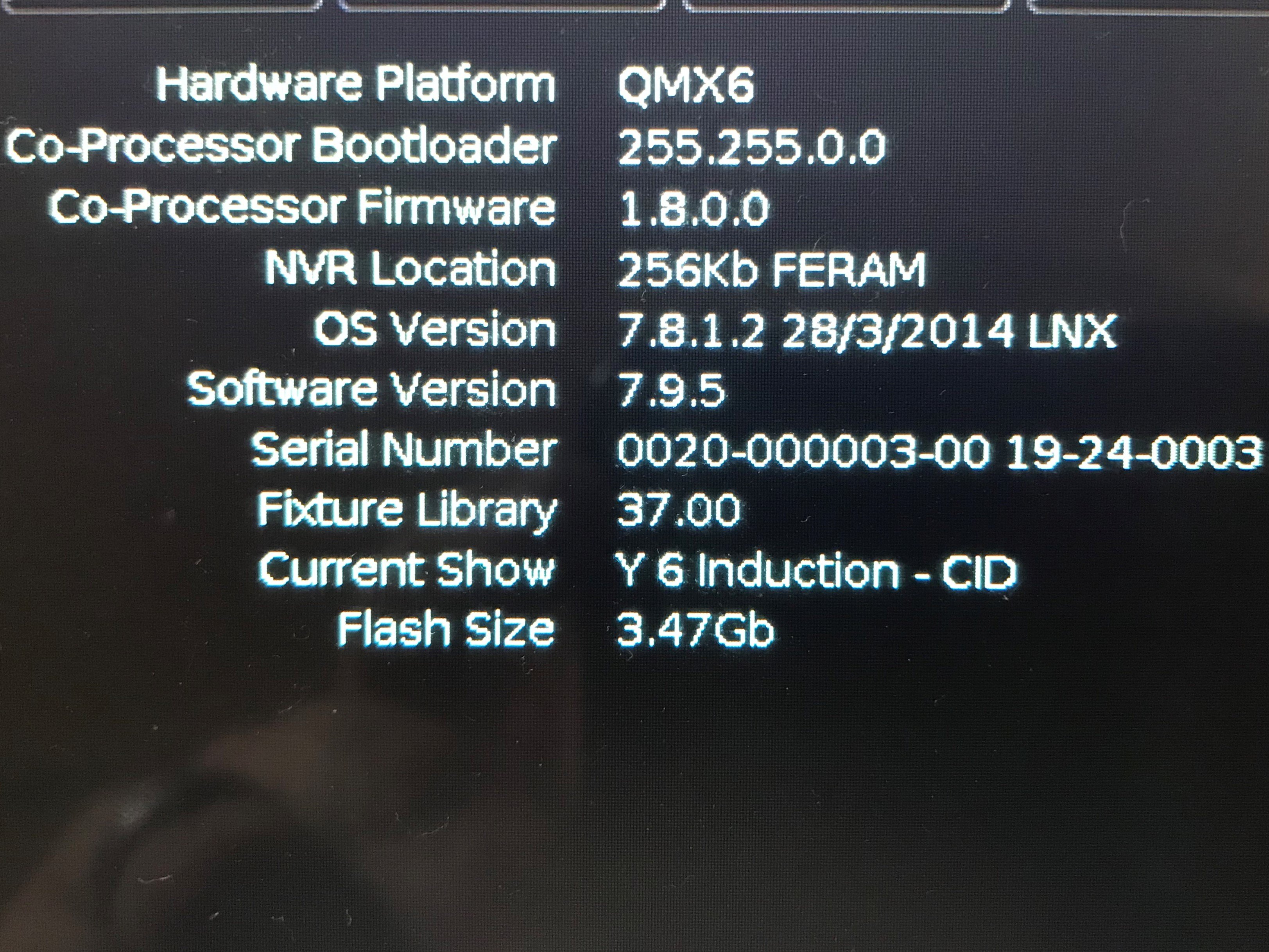
Yes, I have the following text in green... "FERAM Write failure at 0x00004030, retries remaining : 4" I cant seem to see the info you are refering to. All i get under "desk info" is the following (attachmenet)...
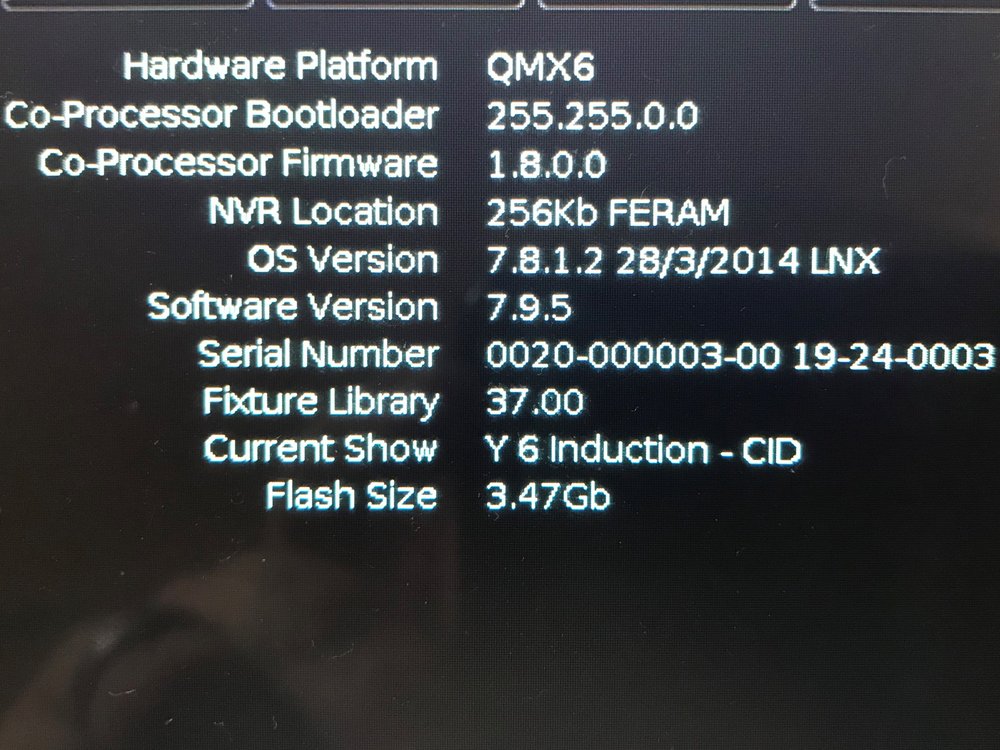
-
Morning folks, I experienced an odd issue with our FLX this week. After powering on the unit, the left side of the desk (fader bank and UDKs) had no working lights on the board. The LEDs for each PB no longer illuminated, the LED on the UDKs no longer illuminated and the page display window did not display the current PB page. The only working part of the console was the touch screen, external monitor, and fader operation. At the same time, no DMX was being output from the desk despite the external monitor showing parameter changes... To resolve the issue, i had to reboot the console. Although this is the first time this has happened to this extent, i have experienced similar symptoms with LEDs on the UDKs on a regular basis (no light on the button) but operation of the UDK remaining functional. Has anyone else had this issue? Currently on 7.9.5
-
Hi folks, This is more a feature request than anything else... On the IOS remote app for the FLX, is it possible to get a rem dim button on the syntax screen? When using the apple watch remote, there is a remdim option as you scroll through each fixture. It would be great if we could do this on the IOS phone app too...
-
 I second the above... We only have the 1 console, but the networking set up at our venue operates so that different parts of the campus are using different sub nets. Also, due to restrictions placed on users by the network manager, all devices are DHCP with no assigned static IPs, so unless you are by the console to double check the assigned IP, then its often not possible to connect. I understand this may be a unique problem to larger venues or education establishments...
 -
Thank you both for the replies.
-
Hi, I may be able to help with a couple... 7- Blind mode. view the PB with the cue stack you want to edit. Hold the flash button of the PB, and type the Q number you wish to view / edit. once you have finished editing, press update 8- Once a chase is created, you can hold "settings" and click on the flash button under the PB containing the chase. This will bring up the setting window for the PB. Click on the Chase tab, and you can chose the amount of "shots" that will take place when the fader is raised or the flash button held. Hope this helps a little
-
Thanks for the reply... Its a shame you cant save multiple shows to the console. It would be a useful feature for venues that may have 2 or 3 regular "shows" to recall directly from the desk rather than a flash drive...
-
Ok, it sounds like a daft question... but when i try to save a show, i cant save locally to the console. If i insert a flash drive, the "device" is shown, but when there is no flash drive i get a <no destination device> message. The same goes for loading a show, when i go to the load page, I only get files if a flash drive is inserted... nothing is shown when the drive is removed. I thought there should be an option to save locally?
-
Actually, i think ive solved it... Originally i programmed the console on PhantomOS and loaded the show onto the console. If i delete the UDKs and reprogram on the console they work as expected, highlighted when pressed or on latch. Not sure if this is a glitch with programming on phantom?
-
Hoping this is an easy issue... On our FLX 7.9.5, the lights on the UDK buttons don't illuminate when pressed. Any idea why? Im using 4 as Rem Dim, and 1 to invert RGB from the default 100 to 0 on latch.
-
Thanks again Edward. I have done that, but it doesn't seem to have any effect? In this case, i am running a red chase over a blue wash, but using the same LED fixtures for both the chase and wash. When the chase runs without the wash, the fade is obvious, but when run over the wash, the chase "jumps" without any fade. I have attached the show file for you if this helps. PB 13 is a red chase in this example, and the washes are on PB's 6-8 (RGB). Further to this... I cant seem to get the Speed Override to work either. If i program all my pars to use the "smooth" effect recorded to a playback, no speed override shows up when i press the Z button? Any ideas? Capture Example.isf
-
Thanks Edward, An additional question if i may... After creating chases that can be mixed in an RGB fashion. is it possible to set the way the colour parameter fades? to elaborate, i know can set the intensity to cross fade, ramp up / down from the chase setting on the playback. But is there a way to do this with the colour parameter too? rather than just jumping to 100% in each step of the chase? When i run the chase over a black stage, its fine, but if i run the chase over a wash using the same LED fixtures at 100% intensity, then the cross fade effect is lost and the chase is "jumpy" again...
-
FLX Users... Under what conditions do you use the FLX
O Thompson replied to van den abbeele Eric's topic in FLX
England UK Couple of months FLX and touch screen monitor Education Environment - 300 cap theatre. We have have multiple productions from musical theatre to music concerts, also a fair bit of conference stuff. Selection of LED pars, a LED fresnels and generic profiles and fresnels too. No moving heads though. usually in a permanent location. Theatre control booth 2 / 3 per week, but larger scale events are twice a year (musical productions and larger music concerts) No, but i have booked a training course at hawthorn in October, and i believe they also hire the equipment too. No worries really, just some challenges getting to grips with the console as i wish to use it. My area of bias is audio, so my way thinking is a little different to the way the console is programmed.