All Activity
- Past hour
-
Morning all, Im hoping this is a quick one, and down to my own oversight... Im trying to alter the default position of some moving heads, to prevent seeing a move when playbacks are raised. I have saved both an updated home position and default position, but only the home seems to function. When each fixture is selected, and i hit home, they move to the saved position... however they seem to default to a previously set position at rest. Any ideas?
- Yesterday
-
That is pretty neat and creative solution, one which I might try myself. Not sure if the timing of it, but a cue can release another playback so you might be able to automate the release that way.
-
In my years working in IT there was "established wisdom" that you don't install even numbered releases (especially 0 releases) these generally contain new features and that often means new bugs. Odd numbers are usually bug fixes for the preceding one. Not always true of course but worth thinking about. There is also a theory of software decay. Essentially changing software can introduce bugs, even in the unchanged parts. This accelerates with the number of changes so, at first, very few bugs are introduced but, as the software becomes more complicated and new changes are built on top of old ones the number of bugs per change increases. Again, not always true but something to bear in mind as, eventually, all you are doing is fixing the bugs caused by fixing bugs. As the comments in one program I had the "pleasure" of working on said "this program is like an old car, you set out to change the air filter and end up replacing the engine" 😁
-
I updated to 8.0.1 prior to programming my current show. I’m not the most demanding user but I did manage to make 8.0.0 crash a couple of times when programming the previous show (probably when fiddling with palettes). I’ve not had any problems at all with 8.0.1 so it seems pretty stable to me. I’m a relatively new user so I couldn’t comment on it compared to the 7.x.x versions but it definitely seems more stable than 8.0.0. It didn’t introduce any new features compared to 8.0.0 and was just a bug fix.
-
I was able to figure out a solution for this using Macros On my 'Rainbow Fader', i've included an extra step that Triggers a seperate Playback and then auto moving to the next step - in this instance it's triggering a playback that sets up the Rainbow Effect, at the desired Speed (around 15), but 0 Size (and ignoring colour/intensity) Then, Step 2 of the 'Rainbow Fader' goes to a playback that also has a Rainbow Effect, but at the same speed (15 again), with 100 Size. Then I also set it to have the Fader control the Effect. So - when I slide the Rainbow Fader up, it auto triggers a seperate playback that sets up an "empty" Rainbow Effect at a particular speed - and then sliding the Rainbow Fader up/down only controls the Size of the effect instead of also moving the Speed. It does mean that without manually releasing it, that the seperate Playback is kinda just, always on until told otherwise - but that's pretty manageable.
- Last week
-
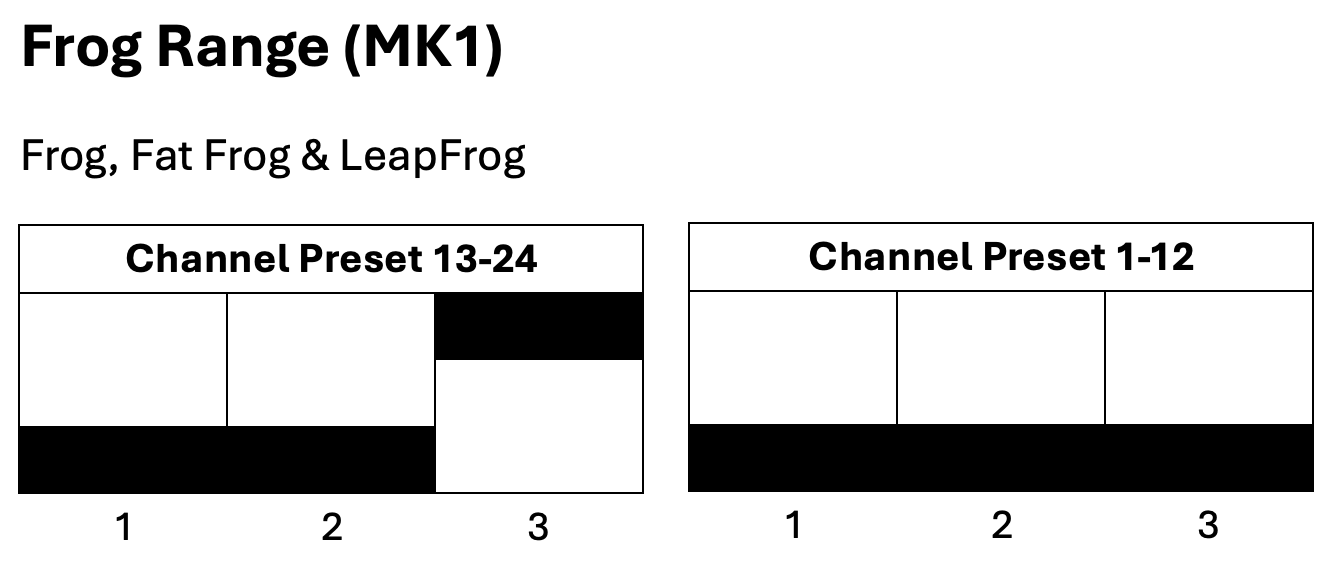
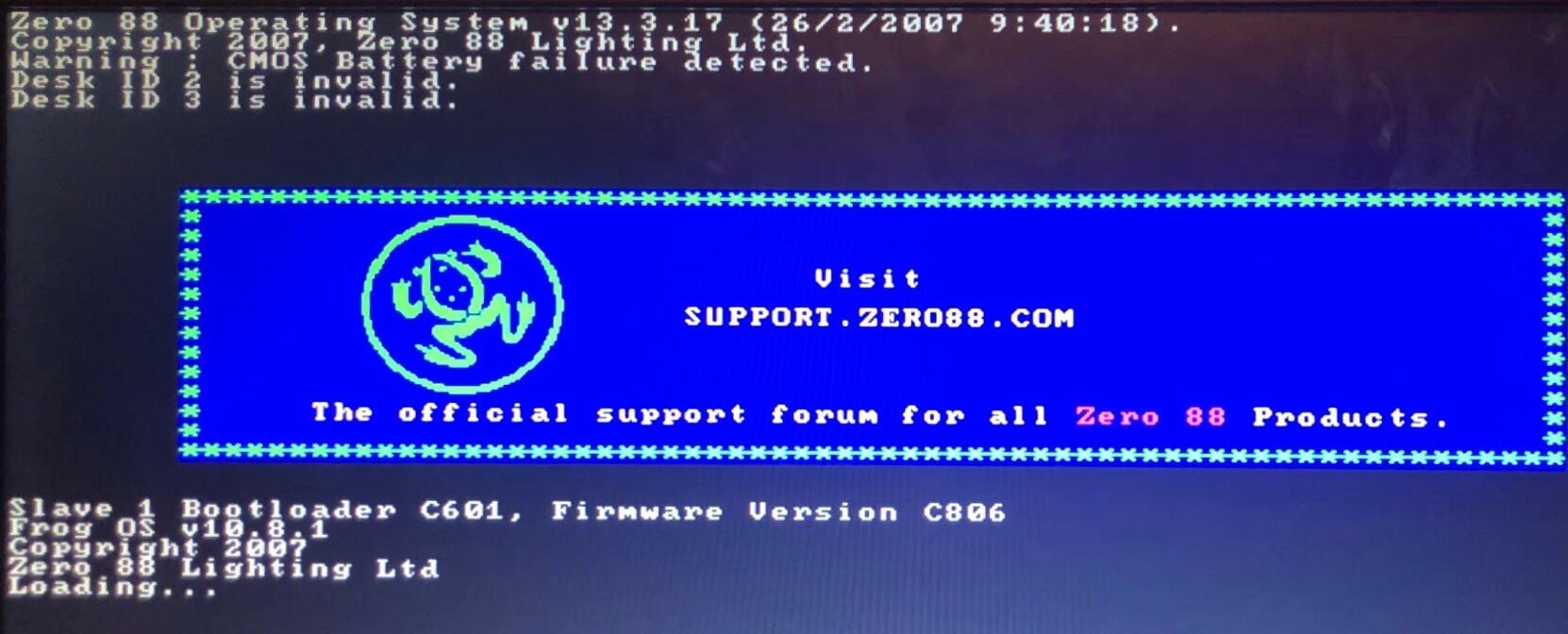
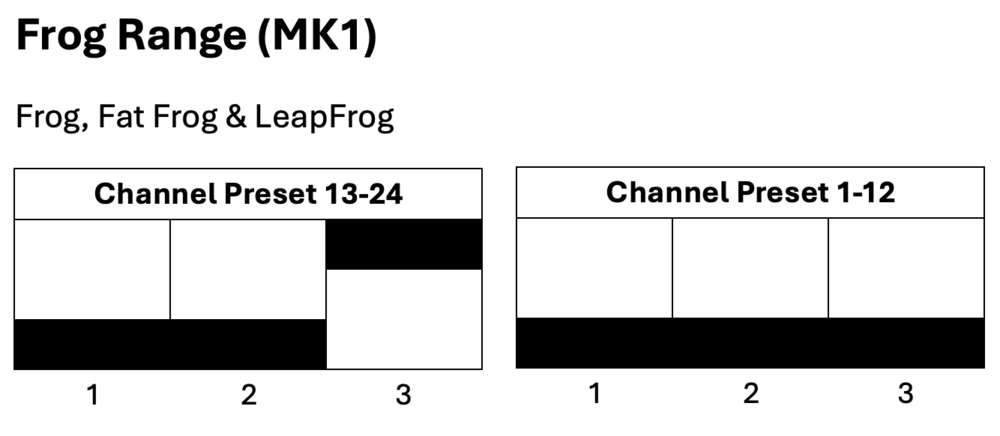
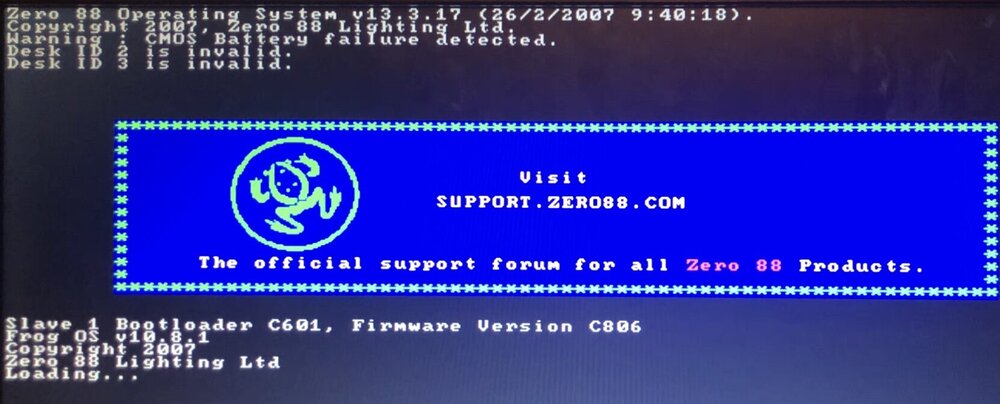
I agree with kgallen, this is most likely a battery issue. The battery is what holds the date and time along with the showfile data, so once the desk loses power it loses those if no battery is present. The time then resets and counts up from zero when powered on each time. Are you getting a message on the external monitor saying 'Warning : CMOS Battery failure detected.'? Following kgallen's advice - without attempting to reinstall the Frog Software, try powering on with a fresh battery and let the desk load into the memories screen, then cut power and turn on again. You should find that if the battery has been installed correctly, the second restart shouldn't show the 'Desk ID <number> is invalid.' message. As far as I know with the dipswitches on the channel fader PCBs, they are only used to tell the desk software which board is which. However, it would be a good idea while you've got the desk open to check they are in the correct position anyway. I hope this helps.
-
I've been running DMX out of Phantom ZerOS 8.0.1, and seems stable. Haven't experienced any crashes with regular daily use.
-
I think you posted here, so looks like you have an "original" Leap Frog. Note you won't be able to contact Keith or Ian now (for very different reasons).
-
This is almost always a battery issue or accidental movement of DIP switches on the PCB when swapping the battery (others feel free to correct me!). I would swap the coin cell for a guaranteed new one then boot the desk a couple of times since the software will need to rebuild some internal tables since the battery went flat. Trying to reinstall the OS will probably take you down a blind alley. Also I recommend looking through through the Forum for other comments on this issue as this a common query. Does your Leap Frog run FrogOS (10.12 latest) or ZerOS? There are two styles of Leap Frog with very similar names which is confusing.
-
I haven't risked updating, it seems that if there are bugs they won't be fixed fast enough to maintain a viable solution
-
The first Message when I try to re install OS is desk id is invalid the second is serial number not recognised.
-
Hello. i have this problem on my Leap Frog when i turn off i lose sub master memory and date and time, but submaster memorized last year are yet present. Battery is new. If I try to re install OS the message is desk id is invalid. Running SETIDDSK, ID was set but trying to re install OS the message is the same. Help me please
-
Bonjour, Je rencontre toujours des problèmes concernant les enregistrements dans les playback avec des parallèles zoom je vois systématiquement le zoom bouger alors que je ne le voudrais pas comment procéder ? Merci
-
zeros functionality question for Solution
Archie D replied to Ed75's topic in Solution & Solution XL
Hi Paul, Yes - this is correct. My apologies, I should have mentioned that you'd need to delete the dimmer fixture already there. Worth noting, as a shortcut to delete all fixtures numbered 1-48, you can type 1 THRU 48 DELETE ENTER while in the Fixture Schedule tab of SETUP. The shortcut for THRU is '>' on a keyboard. Any further questions please feel free to ask. Archie P.S. they're not in the garage... they're all in the house... I may have to move out soon! -

zeros functionality question for Solution
Muller Light replied to Ed75's topic in Solution & Solution XL
Hi Archie, On Phantom, If I try and add a fixture via [Setup] [add fixtures], I can only enter fixture numbers starting at 101. If I delete a dimmer channel first, then I can enter the fixture number of the deleted dimmer channel. which makes sense, so will do this first. I have changed the flash button to select, as you described. I will try on the real desk, once at the venue. Thanks for your help. Paul PS. With all the desks you own, you must have a big garage! - Earlier
-
zeros functionality question for Solution
Archie D replied to Ed75's topic in Solution & Solution XL
Hi @Muller Light, You can patch your RGBW fixture onto the faders by assigning it a fixture number of 1-48 (or 1-96 if using a Solution XL), and the fader will control the intensity. To control colour, the fixture must be selected. Solution consoles don't automatically select fixtures when channel faders are raised like FLX and FLX S consoles do, so you would need to select it manually. You can turn the channel flash buttons below the faders into fixture select buttons via SPECIAL -> Channel button mode -> Select. This replicates the behaviour of the select buttons on FLX and FLX S - tap to select, tap again to deselect. The button's yellow LED will illuminate when that fixture is currently selected. Once the fixture is selected, you can control the colour in the same way as fixtures that are on the MFKs. Hope this helps, Archie -
zeros functionality question for Solution
Muller Light replied to Ed75's topic in Solution & Solution XL
So, if I have a light that is, say, RGBW + dimmer level, how do I setup the solution to have it as fixture number 1, so I can control the level with the fader and the colour with the MFKs and wheels? -
That’s great news! Thanks for confirming and no shame in asking here!
-
Just been at the theatre doing a check…. Yes, it’s the power supply! You’re right, nothing wrong with the dimmer. Scratch this post. many thanks, Zulu
-
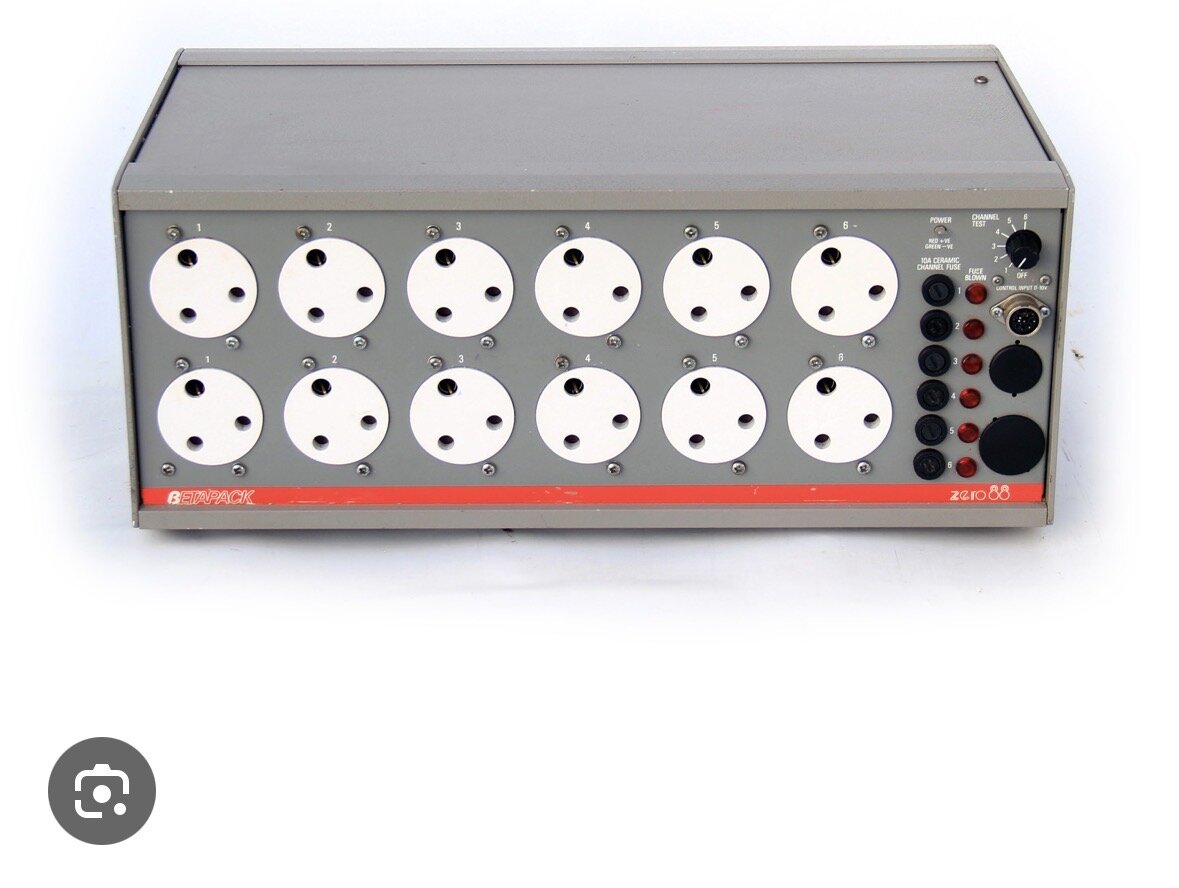
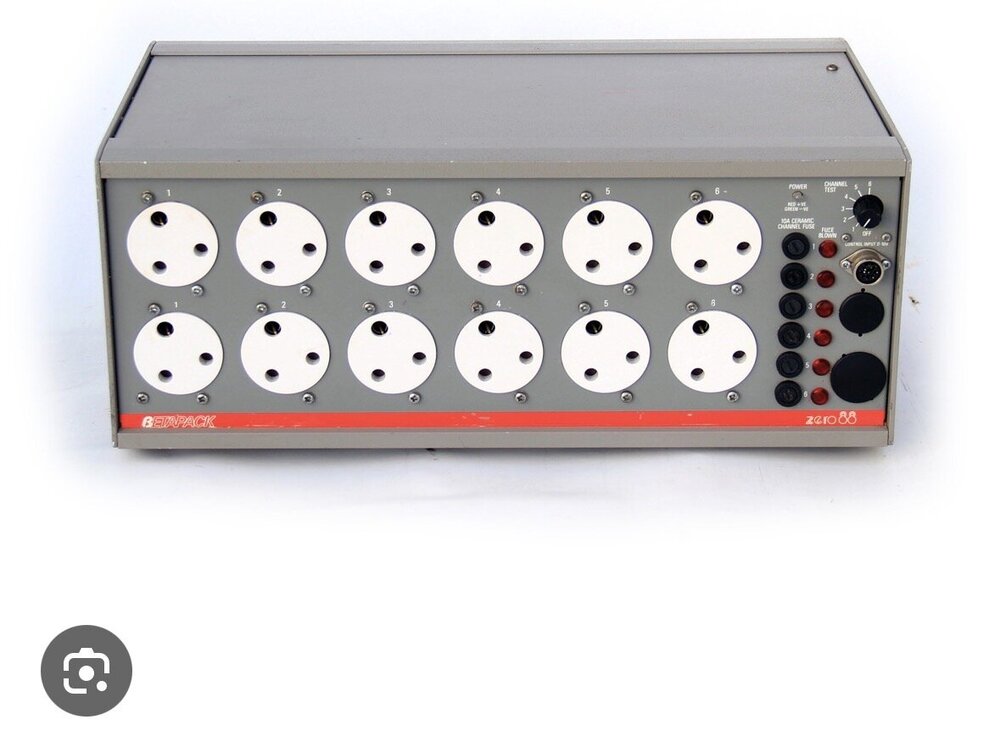
Betapack 1 are solidly reliable so this is surprising to have a ‘total dead’. There is no overall fuse in the unit as they can be wired single or 3 phase delta or star. Are you sure your supply is ok? Check your supply MCB/RCD first if you haven’t. Does an Act 6 work in the same supply socket? The Betapack power led should be lit (red or green depending on analogue desk supply polarity). None of the channel fuse neons should be lit. Can you investigate more and provide more info?
-
Hi, I have 24 channels of dimming, using 3 x Strand Act 6 dimmer packs, and 1 x zero88 beta pack. See photo. the Betapack didn’t power up tonight when switched on. No life at all. I’m hoping it’s just a fuse. Anyone got a manual, or instructions on how to check/fix this? many thanks, Zulu.
-
JesterML LCDs blank [still backlit] and MFK lcd top row malformed
Archie D replied to Archie D's topic in Jester Range
Don’t apologise - life gets in the way sometimes! I hope they’ve managed to sort the intermittent fault out. My JesterML had a ribbon cable that looked like the legs of the components on the front panel had pierced part of it. On the Blue Room, I assisted someone else identifying an issue with their front panel on a Jester 24/48. Their ribbon cable was pierced too. Seems like it might be a common thing? But not sure. Possibly could be solved by carefully cutting the component leg just below the solder joint while leaving a little bit of leg left, shortening the spike. That way the ribbon cable hopefully won’t suffer. -

JesterML LCDs blank [still backlit] and MFK lcd top row malformed
Davidmk replied to Archie D's topic in Jester Range
Should have updated with results. Sorry. I replaced the fader and found that the ribbon cable was missing clips. Made sure the ribbon connectors were properly in (although not clipped) before closing up. The fault seemed fixed although it did re-occur. Lent it to a local AmDram with a warning about the fault. Even with the fault the monitor shows the correct information so they were happy enough and after the show they bought the desk for what I'd spent on it (no charge for time). It did go on to have issues with faders (also intermittent). Still think it's the ribbon cable. The AmDram's tech's dad is an electronics engineer so left it with them. Not heard since. -
JesterML LCDs blank [still backlit] and MFK lcd top row malformed
Archie D replied to Archie D's topic in Jester Range
Update time! The issue has been coming back intermittently. Rather late, but tonight I have just replaced the ribbon cable between the processor board and front panel with one which came out of my spare Juggler (has the same FC-26P connector). Will be monitoring how it does over this week and if the buggy LCD issue arises again. Will post progress on the issue.